.png)
C3
Code Chat Connect
Stop babysittingyour AI agents.
C3 gives you full control of Claude Code, OpenCode, and Codex from your phone. Push notifications when they need you. Approve, reject, or redirect — from anywhere. E2E encrypted. No SSH.
 Claude Code
 OpenCode
 Codex
Codex PiBeta
npm install -g @naarang/ccc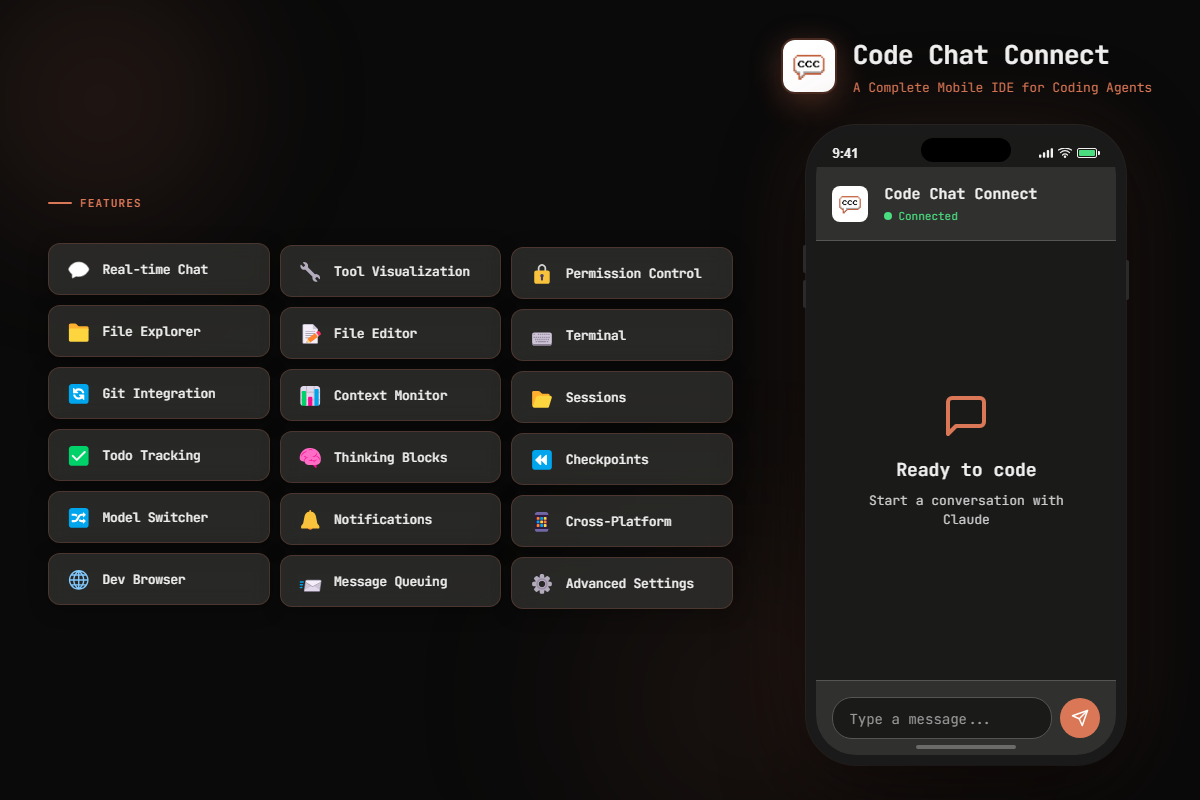
Your laptop is a leash.
AI coding agents run on your machine. That means you need to be at your desk — to approve permissions, to check progress, to course-correct when things go sideways.
Your agent stalls because it needs permission to run mkdir. You don't find out for 20 minutes. Production breaks while you're at the park with your dog, and your only option is to rush home and open your laptop.
The alternative? --dangerously-skip-permissions and hope your agent doesn't nuke anything. Neither option is great.
C3 puts your entire dev environment in your pocket. Approve permissions from the couch. Fix a prod issue from the coffee shop. Push a hotfix from the commute. Your agents keep running — and you keep living.
Up and running in 60 seconds.
$ npm install -g @naarang/ccc && cccStart the backend on your machine. One command, 60 seconds.
 ___ ___ ___
/ __/ __/ __|
| (_| (_| (__
\___\___\___|
Scan the QR code or add the server manually. One tap to connect.
Chat with agents, approve permissions, browse files, manage git — all from your phone.
write settings.tsxMore than a chat wrapper.
4 use cases
A full IDE in your pocket — not a stripped-down viewer.
Know what your agents are doing. Approve what matters.
Not locked to one provider. Use what works for you.
Build on top of C3. Make it yours.
One app. Every agent.
Most mobile coding tools only work with one agent. C3 connects to Claude Code, OpenCode, Codex CLI, and Pi. Use your existing API keys and subscriptions. No vendor lock-in.
Anthropic's deep-reasoning coding agent
Multi-provider open-source agent
OpenAI's autonomous coding agent
Bring-your-own-key multi-provider agent
How does this compare? Unlike Claude Code Remote Control (which requires a $100-200/mo Max plan and only works with Claude Code), C3 works with your existing Claude Pro subscription — or any supported agent. Start new sessions from your phone, get push notifications, and control multiple agents from one app.
Your code stays yours.
E2E Encrypted
All communication between your phone and your machine is end-to-end encrypted. Nobody — not even us — can read your messages or code.
No SSH Required
C3 uses a lightweight MQTT bridge. No open ports, no SSH keys to manage, no firewall headaches. Connect in seconds.
Local-First
Your code never leaves your machine. C3 connects directly — no cloud relay, no third-party servers storing your source code.
Start building from your phone.
$ npm install -g @naarang/ccc$ ccc -u your_username -p your_passwordRequires Bun runtime. What's Bun?
curl -fsSL https://getc3.app/install.sh | bashirm https://getc3.app/install.ps1 | iex
Get notified about new features and agent support.
What's next.
Explore what we're building, what's in beta, and what's planned for future releases.
Explore Roadmap
Developers are building from everywhere.
We just got a child, so I'm mostly on my phone. Which is also why I am so thankful for CCC.
This has just replaced my Android terminal app and the need for tailscale all in one go! I'm SO excited to see CCC grow!!!
Thank you for building such an awesome app! I've been using Happy for a while and decided to give this one a try after my research agent discovered it for me. Overall, CCC is more polished!
This tool is incredibly useful. It's a real game changer for me because I can use it anywhere through my WireGuard VPN, and it's far easier to read and apply decision than Code CLI. With the CLI everything feels a bit messy, but here every operation is clear and visible. It's an amazing tool and an absolute must-have.
I approve Claude's file edits from the gym between sets now. My PRs have never moved faster.
Set up a refactor task before bed, woke up to a push notification asking to confirm a migration. Approved it half asleep, woke up to a clean diff. Love this workflow.
The git integration on mobile is surprisingly good. I reviewed a 40-file PR from my phone on a train and left comments inline. Didn't miss my laptop once.
Finally I can monitor my coding agents without being glued to my desk. The permission system alone saves me hours every week.
Switched from SSH + Termux to C3 and the difference is night and day. QR scan to connect, push notifications, actual file browsing. Should have found this months ago.
Production went down during dinner. Fixed the issue, pushed the hotfix, and was back to my pasta in under 5 minutes. That alone justified the install.
Being able to switch between Claude Code and Codex in the same app is huge. I use Claude for reasoning-heavy tasks and Codex for quick scaffolding. No other mobile tool does this.
The tool visualization is addictive. Watching Claude read files, think, and write code in real-time from my phone feels like the future.
I run a small team and we all use C3 now. Being able to check on agent progress during standups without opening a laptop changed how we work.
Context window monitor is underrated. I can see exactly when my agent is about to hit the limit and course-correct before it starts hallucinating.
We just got a child, so I'm mostly on my phone. Which is also why I am so thankful for CCC.
This has just replaced my Android terminal app and the need for tailscale all in one go! I'm SO excited to see CCC grow!!!
Thank you for building such an awesome app! I've been using Happy for a while and decided to give this one a try after my research agent discovered it for me. Overall, CCC is more polished!
This tool is incredibly useful. It's a real game changer for me because I can use it anywhere through my WireGuard VPN, and it's far easier to read and apply decision than Code CLI. With the CLI everything feels a bit messy, but here every operation is clear and visible. It's an amazing tool and an absolute must-have.
I approve Claude's file edits from the gym between sets now. My PRs have never moved faster.
Set up a refactor task before bed, woke up to a push notification asking to confirm a migration. Approved it half asleep, woke up to a clean diff. Love this workflow.
The git integration on mobile is surprisingly good. I reviewed a 40-file PR from my phone on a train and left comments inline. Didn't miss my laptop once.
Finally I can monitor my coding agents without being glued to my desk. The permission system alone saves me hours every week.
Switched from SSH + Termux to C3 and the difference is night and day. QR scan to connect, push notifications, actual file browsing. Should have found this months ago.
Production went down during dinner. Fixed the issue, pushed the hotfix, and was back to my pasta in under 5 minutes. That alone justified the install.
Being able to switch between Claude Code and Codex in the same app is huge. I use Claude for reasoning-heavy tasks and Codex for quick scaffolding. No other mobile tool does this.
The tool visualization is addictive. Watching Claude read files, think, and write code in real-time from my phone feels like the future.
I run a small team and we all use C3 now. Being able to check on agent progress during standups without opening a laptop changed how we work.
Context window monitor is underrated. I can see exactly when my agent is about to hit the limit and course-correct before it starts hallucinating.